Transcription
Achew performs all transcription locally using on-device models; nothing is uploaded to a third party. When you run a workflow that involves transcription (Smart Detect, Regenerate Titles) or transcribe individual chapters in the editor, Achew cuts a short segment from the start of each chapter and sends it to a transcription service.
Services
Achew ships with two transcription services: Whisper, and Parakeet. Each has a hardware-accelerated MLX variant available on Apple Silicon devices.
| Service | Languages | Hardware |
|---|---|---|
| Whisper | .en models: English only1 Other models: 99+ languages2 |
CPU |
| Parakeet | v2: English only1 v3: 25 languages2 |
CPU3 |
| Whisper MLX | Same as standard Whisper | Apple Silicon4 |
| Parakeet MLX | Same as standard Parakeet | Apple Silicon4 |
What should I start with?
The Whisper tiny/tiny.en models are the fastest and lightest, and make an excellent starting point. If the results aren't good enough, try switching to a larger Whisper model or using one of the Parakeet models, which tend to strike the best balance between accuracy and speed.
Whisper models
tiny/tiny.en: Smallest, fastest, least accurate, but "good enough" for a lot of books.base/base.en: Reasonably fast, should work fairly well for most books.small/small.en: Fast-ish, a good balance between speed and accuracy.medium/medium.en: Slower but more accurate.large: Highest accuracy, slowest.turbo: High accuracy, reasonable speed. Consider using this instead ofmediumorlarge.
All model sizes have multilingual2 variants. All model sizes except large and turbo have English-only1 variants (.en).
Parakeet models
Service recommendations
- English audiobooks → Parakeet
0.6B v2for accuracy, Whispertiny.enfor speed. - Non-English audiobooks → Parakeet
0.6B v3if the language is supported, otherwise Whispersmall/turbofor accuracy or Whispertinyfor speed. - Limited RAM / CPU → Whisper
tiny/tiny.en.
Configuring transcription
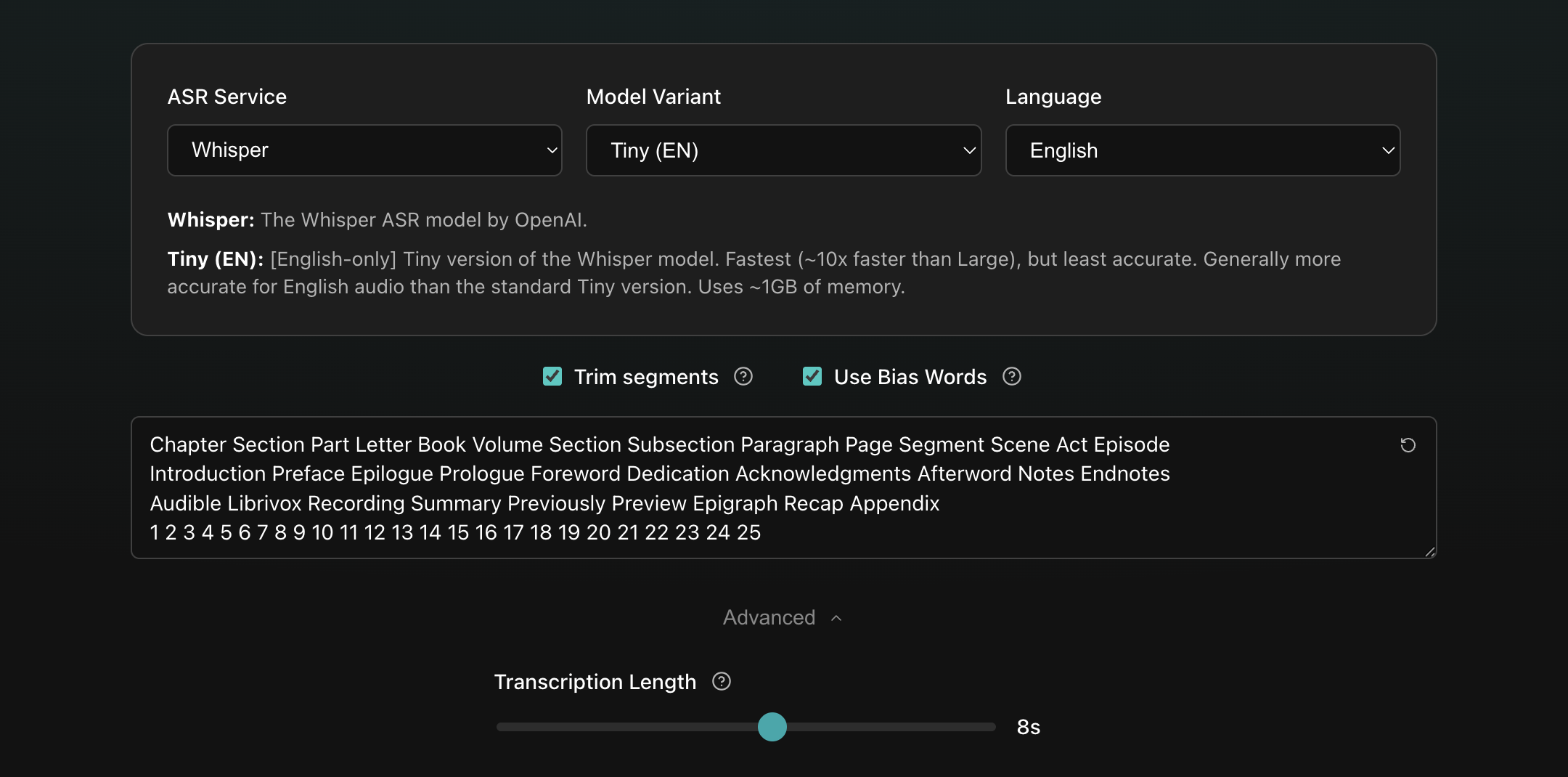
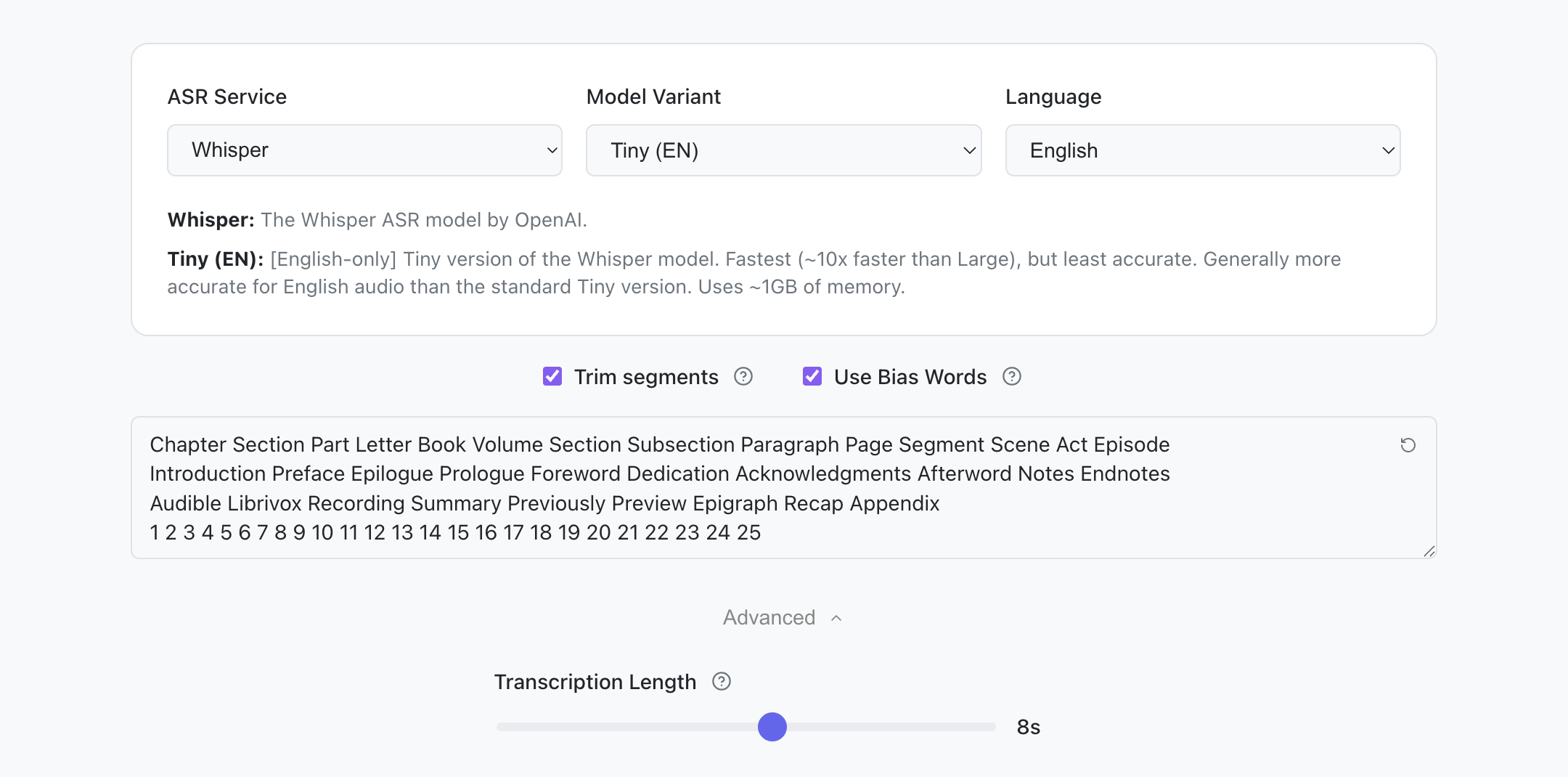
You can configure your transcription settings from Settings → Transcription Settings, or in the Transcribe Titles screen shown before transcription occurs in specific workflows.
Start by picking the transcription service, model variant, and language you wish to use. See the Services section above for recommendations. For English audiobooks, an English-only model is recommended. For multilingual Whisper variants, it is recommended that you select your book's specific language, as the Auto option tends to be slower and less accurate. The correct language will automatically be selected if the book's langauge is specified in Audiobookshelf.
Then, configure the other options:
- Trim segments: Attempts to increase transcription speed by trimming unnecessary part from the audio. It's typically fine to keep this enabled, but you'll want to disable it if it's giving you blank/nonsensical transcripts or if important parts of the title are being missed.
- Use Bias Words: (Whisper only) Enables a word list that can help guide the transcription model toward more consistent results. This list is editable so you can tune it for your specific book or language (you'll want to use words in the target language). Use the Reset button in the top right of the edit area to reset to the default word list.
- Transcription Length: Length of the audio segment extracted for transcription, before trimming. The default of 8 seconds generally works well, but you may need to increase this for books that have unusually long chapter titles.
Using aligned titles
If you have one or more Chapter References whose timestamps line up with the chapters you're about to transcribe, you can use those titles directly instead of transcribing them from scratch.
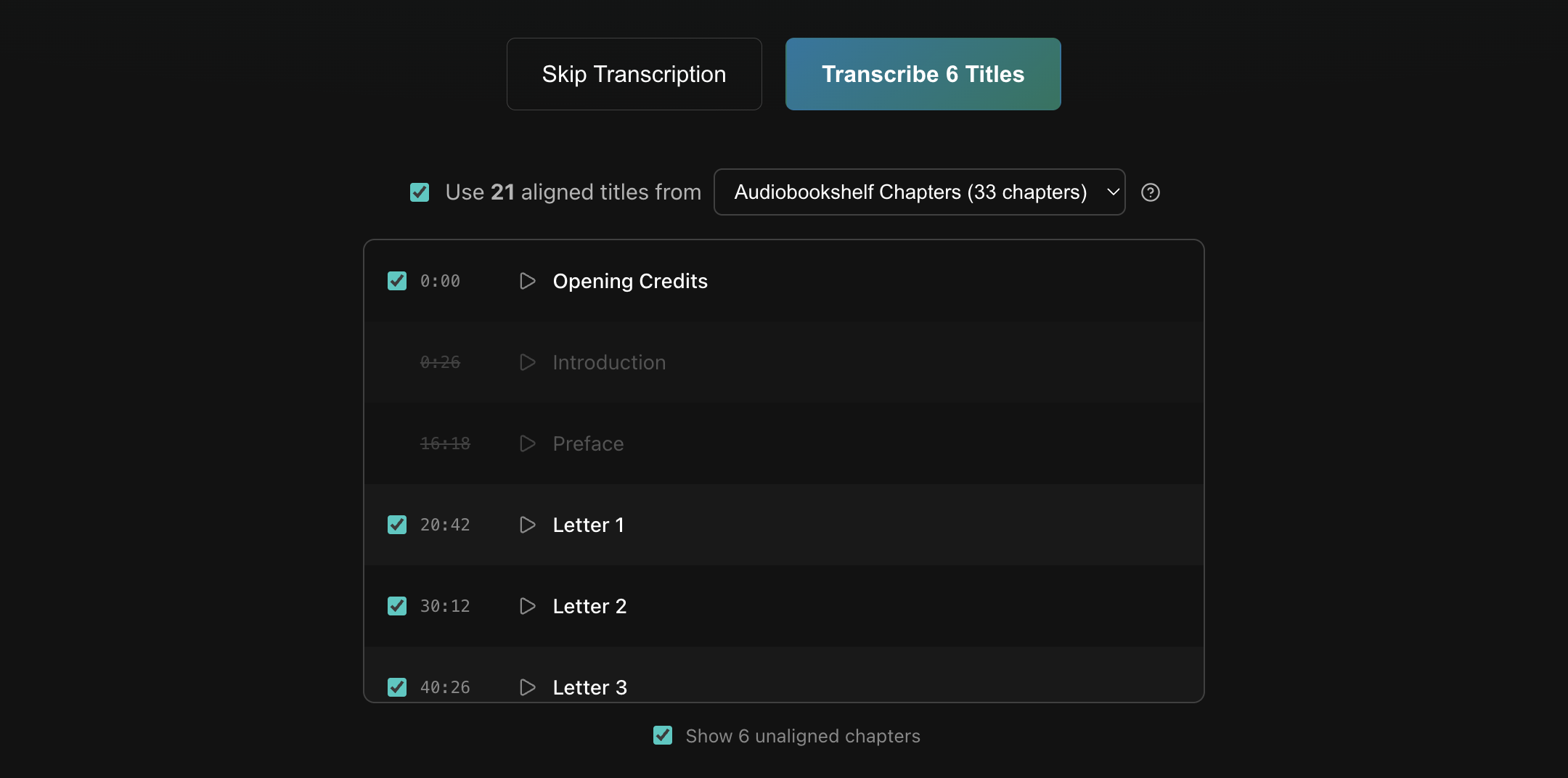

On the Transcribe Titles screen, check the box labeled Use aligned titles from and pick a Reference from the dropdown. A list shows each chapter from the selected Reference that aligns with any chapter pending transcription. From here you can select or deselect the titles you wish to use. Checking the Show unaligned chapters box (if available) will also show chapters from the selected Reference that do not align with any pending chapters.
When one or more aligned titles are selected, clicking Transcribe Titles will use those selected titles and only the remaining titles will be transcribed. Clicking Skip Transcription will also use the selected titles, but will leave the remaining titles blank.
Tips for improving transcription
Transcription models can vary wildly on capitalization, number formatting, and punctuation. For the most part that's just the nature of the beast, but there are a few things you can do:
- Use an English-only model for English audio, or a multilingual model for other audio.
- For non-English audio with Whisper, ensure you've selected a language (not
Auto). - Step up to a larger Whisper variant (
tiny→small→turbo), or switch to Parakeet. - Enable Bias Words and add book-specific names and terms.
- Run AI Cleanup as a post-processing step and let a machine do the work for you.
Progress and cancellation
In a workflow, transcription occurs as a discrete step and displays full-screen progress. Canceling the transcription will take you back to the previous step of the workflow.
In the chapter editor, transcription instead runs in the background. The editor shows per-chapter status and a progress bar with a Cancel button. Cancelling stops any in-progress or queued transcriptions, while already-transcribed chapters keep their results.
Model downloads
Transcription models are downloaded on first use and are cached for subsequent runs. First runs can take several minutes for large models. See Storage and Backup.
legacy-cpu Docker image
The default Docker image uses Whisper builds that require AVX2 CPU support. CPUs from before ~2013 (Intel) or ~2015 (AMD) lack AVX2 and will crash when transcribing with Whisper.
As a workaround, you can swap to the legacy-cpu image tag in docker-compose.yml:
Parakeet is not affected.
Related
-
See Supported Languages for the full per-variant breakdown. ↩↩↩↩
-
On Windows, Parakeet requires the Visual C++ Redistributable. ↩
-
MLX variants run dramatically faster, but are only available on M-series Macs via native install, not Docker. ↩↩