Shift Timestamps
The Shift Timestamps dialog allows you to shift the timestamps of a set of chapters. To access the dialog, open the Action Bar Menu and click Shift Timestamps.
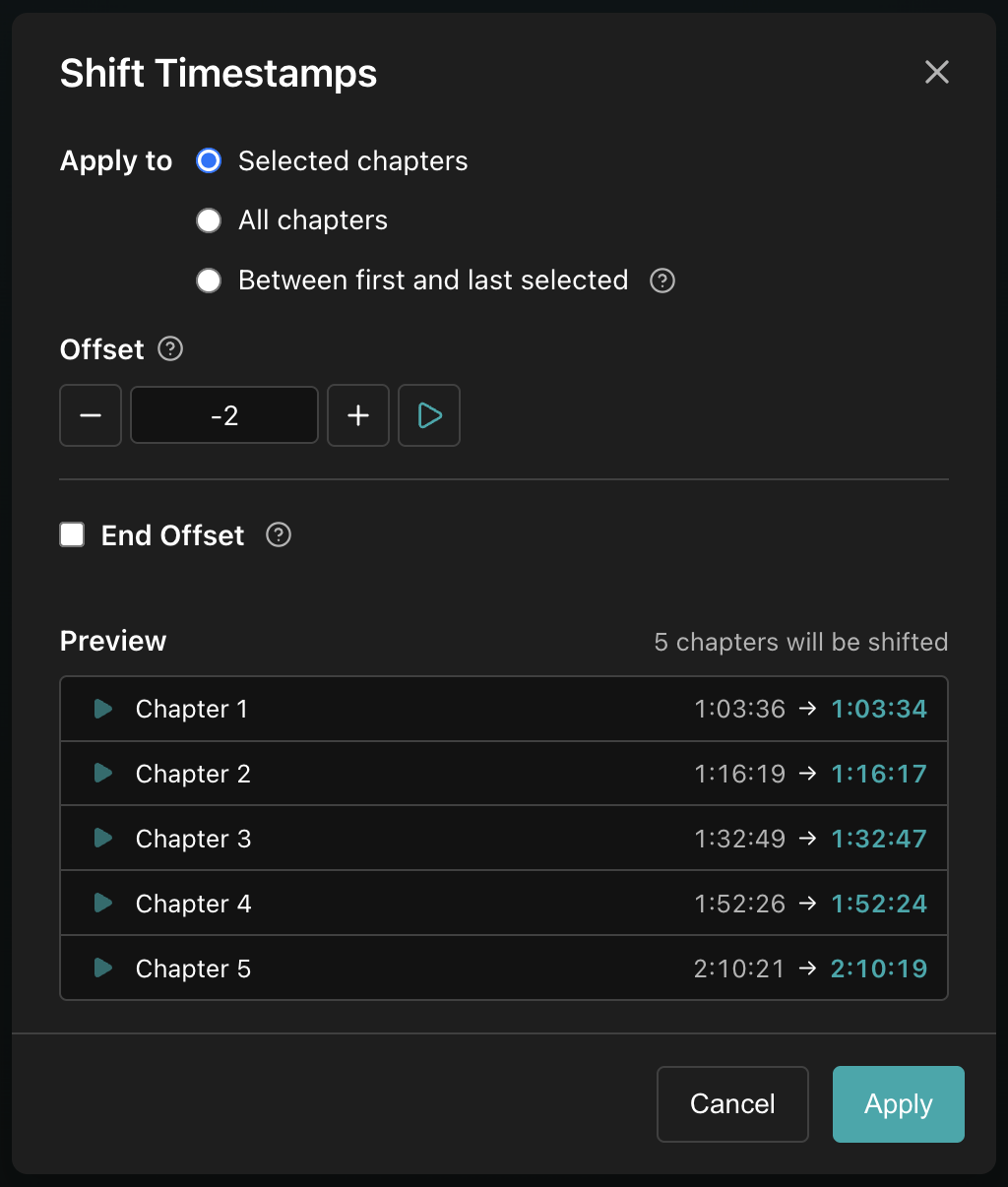
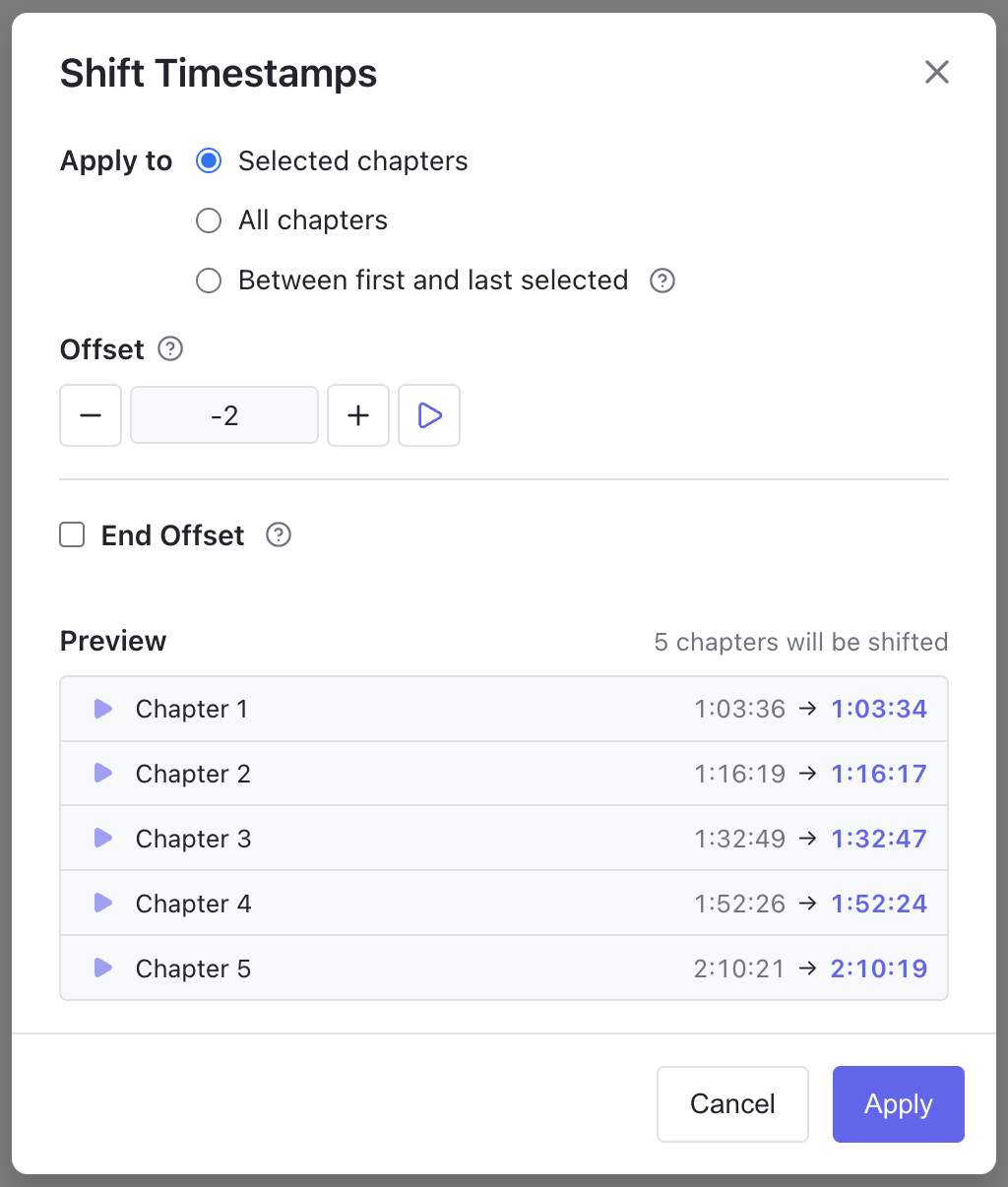
Apply to
Choose which chapters get shifted:
- Selected chapters: Only the chapters that are selected in the chapter editor.
- All chapters: Every chapter in the chapter editor.
- Between first and last selected: Every chapter (including unselected ones) between the first and last selected chapters in the editor. Only available when at least two chapters are selected.
Regardless of which mode you choose, the very first chapter (timestamp 0) is fixed and never shifted.
Offset
The amount to shift, in seconds. Positive values shift later, negative values shift earlier.
Adjust the value with the / buttons, the ↓ / ↑ arrow keys (±1 second), or by typing directly. Press Space while the field is focused (or click the play button) to preview the audio at the first affected chapter's new position. This makes it easy to dial in the offset by ear.
End Offset (drift correction)
Available when 3 or more chapters are affected. When you enable End Offset, the Offset field becomes the Start Offset and the shift interpolates between the two values, drifting from the start offset to the end offset across the affected chapters.


The end offset has its own play button to preview the last affected chapter's new position.
Distribute by
Controls how the offset drift is interpolated:
-
Chapter (default): Drift is spread evenly per chapter, regardless of timestamps. For example, with a start offset of
10sand an end offset of40saffecting four chapters, the offset drifts by10sper chapter:Chapter Timestamp shift Offset 1 1:00 → 1:10 10s 2 5:00 → 5:20 20s 3 15:00 → 15:30 30s 4 1:00:00 → 1:00:40 40s -
Time: Drift is proportional to the chapter's timestamp within the affected range. For example, with a start offset of
10sand an end offset of40s:Chapter Timestamp shift Offset 1 10:00 → 10:10 10s 2 17:00 → 17:17 17s 3 32:00 → 32:32 32s 4 40:00 → 40:40 40s
Preview
The dialog lists every affected chapter, showing both old and new timestamps. Changed timestamps are highlighted, and a counter at the top shows how many chapters will actually move. Click the play button on any row to hear the audio at that chapter's new position.
Timestamps are clamped between 0:01 and the book's duration. Shifted chapters are also spaced at least 1 second apart to avoid collapsing onto the same timestamp.
Click Apply to perform the shift. Like any editor action, it's recoverable via Undo.